
NEO.emu (Arcade Emulator)
Robert BrogliaArcade
3.4275.00 Reviews
- Version
- Varies With Device
- Installs
- 50.00K
- Age Rating
- Everyone
Screenshots
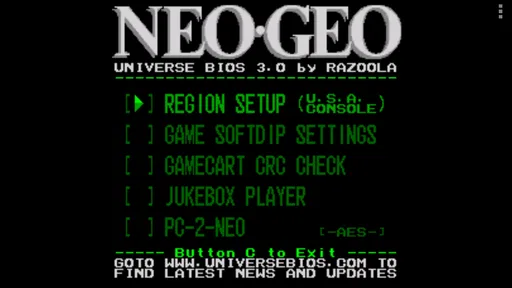
Our Review of NEO.emu (Arcade Emulator)
 Analysis by Appyee
Before I decide whether an arcade emulator suits my routine, I think about what I want from a session: quick access to a familiar game, dependable controls, and a reasonable chance of picking up where I left off. NEO.emu is a paid arcade game from Robert Broglia, focused on Neo Geo MVS and AES titles. At $3.99, it makes most sense for someone who already knows what they want to play and values a dedicated emulator over a broad collection of casual games.
What a short session can realistically feel like
For a quick break, an emulator’s appeal is that it can bring an arcade-style game to a phone instead of requiring a trip to a cabinet or a separate console setup. I would think of this as a way to revisit a game in short bursts: a few minutes while waiting somewhere, or a longer stretch at home when I have a controller handy. The key difference from a typical mobile arcade game is that the experience is centered on classic Neo Geo software rather than a stream of bite-sized games designed around touchscreens.
That focus is also a limit. This is not a general-purpose retro library or a modern arcade game with a built-in catalogue. The emulator is useful when you have a particular Neo Geo game in mind and the files you are entitled to use. If you are hoping to install it and immediately browse a ready-made collection, the purchase may not match that expectation. I would sort out the legal game files and where they are stored before settling in for a first session.
Speed depends on more than the emulator
I would avoid treating “fast” as a single promise here. An emulator has to interpret another system’s software while responding to a phone’s controls, so the practical feel depends on the device, the game, and the way you play. A responsive setup matters especially in fighting games, where a small timing mistake can be more noticeable than it would be in a slower game. If a title feels awkward, I would first check the control layout and input method rather than assuming every problem comes from raw performance.
Touch controls are convenient because they keep the whole session on one device, but they are not automatically the best choice for every genre. A directional pad and several on-screen buttons can take up space and may feel less precise than physical buttons for rapid combinations. If you care about exact inputs, a compatible external controller is worth considering; if you only want to sample a game casually, touch may be enough. That trade-off is more useful to think about before buying than expecting a phone to reproduce the feel of a full arcade panel.
Long sessions, saving, and practical recovery
Arcade games can encourage repeat attempts, and that makes saving useful when a session gets interrupted. I like the idea of being able to pause a longer run and return later rather than making every play session depend on finishing a stage in one sitting. It also changes how I would use the app: a difficult game can be approached in manageable chunks instead of being reserved for a free afternoon.
There is a practical distinction between saving a game state and building a reliable routine around it. I would still make a deliberate save before closing a session rather than relying on a phone’s battery or app switching to preserve everything exactly as expected. For a commuter, that habit can prevent a short interruption from turning into lost progress. It is a small workflow, but it matters more than a feature sounding impressive in isolation.
Who should spend the money—and who should pass
The game is aimed at people who already enjoy Neo Geo-era arcade titles, understand the difference between an emulator and a game collection, and are comfortable configuring controls to suit a phone. Robert Broglia is the developer, and the app has an average rating of 3.4 from around 1.5 thousand ratings, alongside roughly 275 written reviews. Those figures suggest a product with a real audience but mixed reactions, so I would read the fit as personal rather than assume every player will find the setup effortless.
It has over 50 thousand installs and is rated for Everyone, but neither fact guarantees that its controls will suit your hands or that it will feel convenient on your particular device. I would skip it if you mainly want free games, a ready-to-play catalogue, or a polished touchscreen experience designed specifically for modern phones. Someone who prefers games built around portrait play, simple one-thumb controls, or an included selection may be happier with a conventional mobile arcade title.
The Nostalgia Factor
Right off the bat, NEO.emu hits you with a wave of nostalgia. Remember those days spent in the arcade, surrounded by the sounds of clinking coins and cheering crowds? This app aims to capture that essence by offering a seamless way to play classic Neo Geo games on both Android and iOS platforms. It’s like carrying a portable arcade in your pocket.
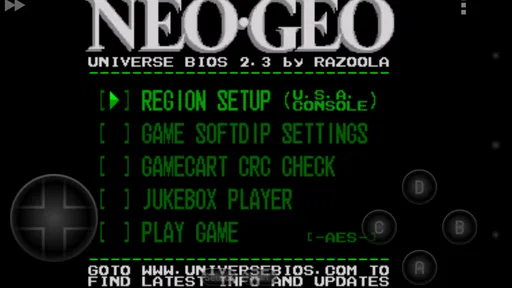
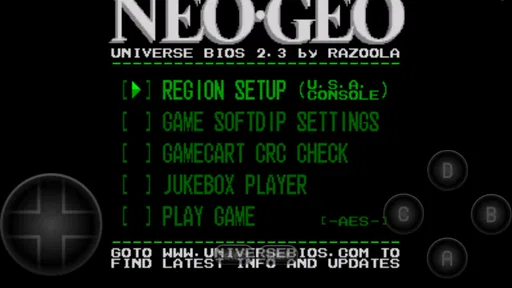
The interface is delightfully simple, reminiscent of the old arcade machines. You can easily navigate through your library of games, and the app supports various file formats, so you’re not limited to just one type. Plus, the customization options for controls are a game-changer. You can tailor the layout to fit your personal playing style, which is perfect for both casual players and hardcore enthusiasts.
Performance and Compatibility
Now, let’s chat about performance. You might be wondering how well this emulator runs on modern devices. I was pleasantly surprised to find that NEO.emu delivers a smooth gaming experience. The graphics are crisp and clear, bringing those vibrant sprites to life. The sound quality is also impressive, faithfully replicating those iconic jingles and sound effects.
Compatibility is another strong suit. Whether you’re rocking the latest smartphone or an older model, this emulator is designed to work across a variety of devices. It supports external controllers too, which is a blessing if you’re aiming for that authentic arcade feel. Just pair up your Bluetooth controller, and you’re good to go.
Features That Stand Out
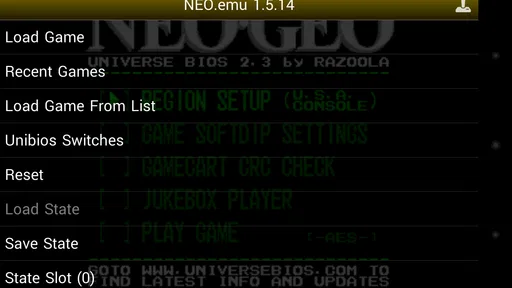
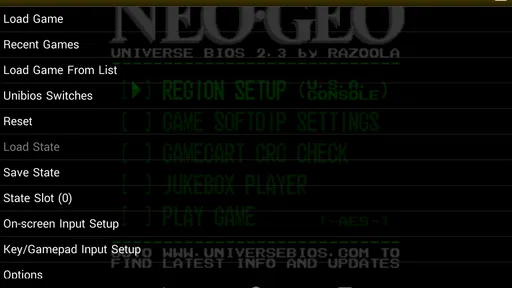
One of the standout features of NEO.emu is its save and load functionality. Gone are the days of losing your progress when the arcade closes or your battery dies. You can save your game at any point and come back to it later, making it perfect for on-the-go gaming. This feature alone makes it a worthwhile download for anyone wanting to tackle those notoriously difficult levels without losing their sanity.
Another feature I love is the cheat code support. Yes, you heard me right! Whether you want to breeze through a game or unlock hidden features, the ability to input cheat codes adds an extra layer of fun. It’s like having a secret weapon in your gaming arsenal.
Community and Support
Let’s not forget the community aspect. Being part of a community of retro gamers is a huge plus. You can find forums and groups where players share tips, tricks, and even game recommendations. The developers are also quite responsive, which is reassuring if you run into any technical hiccups.
Support for the app is robust, with frequent updates to ensure compatibility with the latest devices and operating systems. It’s clear that the developers are passionate about keeping the app running smoothly, and that dedication shines through in the user experience.
Wrapping it Up
In a nutshell, NEO.emu is a must-have for anyone who cherishes the magic of arcade gaming. It’s not just an emulator; it’s a gateway to reliving the past, one pixel at a time. Whether you’re reliving childhood memories or discovering these classics for the first time, this app offers a comprehensive and enjoyable gaming experience.
So, if you’re itching for some retro action, give NEO.emu a whirl. Trust me, your inner child will thank you. Happy gaming!
Making the setup work for your habits
A useful first step is to try one game you already know well, rather than judging the setup by a title you have never played. Familiarity makes it easier to notice whether button placement feels natural, whether the on-screen controls obscure important action, and whether sound and visuals feel right to you. I would adjust the layout before starting a serious run, then keep a separate arrangement for games that rely on different button combinations if the app’s options allow it.
For a shared living room or a quiet commute, the choice of controls changes the experience. A phone held in both hands is discreet and quick to start, while a physical controller can make longer sessions more comfortable but adds something else to carry and connect. If I were planning a trip, I would test the controller and a saved game at home first; that way, I would not spend the first part of a journey troubleshooting my setup.
Files, expectations, and the emulator trade-off
One question worth settling before purchase is where the games come from. An emulator is software for running compatible game files; it should not be confused with permission to download any title you find online. I would use files I have the right to use and keep them organized so the library is easy to navigate. That bit of preparation is less convenient than opening a mobile game with its content already included, but it is part of choosing an emulator rather than a self-contained arcade app.
Compared with a dedicated handheld or a home console, a phone is easier to take along and may already be the device I have with me. The compromise is that a touchscreen and a general-purpose operating system are not the same as arcade controls built for repeated play. Compared with other mobile emulators, the important question is not which one sounds most feature-rich; it is whether its system focus, file support, and control configuration line up with the games and devices I actually use. I would not switch platforms just for the idea of owning more options.
Keeping expectations realistic on different devices
Older phones can be attractive for retro play because they may be spare devices, but age alone does not tell me whether a particular game will feel good. Screen size, touch response, battery condition, and the way the phone handles background tasks all affect the experience. I would test a short session before relying on a device for a long trip, and avoid treating an emulator as a reason to keep an already unreliable phone in active use.
For battery-conscious play, short sessions and a saved stopping point are more sensible than leaving a game running while the phone is needed for other tasks. If I get interrupted by a call or need to switch apps, I would save intentionally when possible and reopen the game to check that my routine works. This is ordinary caution, not a claim that the app is unstable: it simply recognizes that an emulator session sits inside a phone that has many other jobs.
My performance verdict
NEO.emu makes the most sense when I want a focused route back to Neo Geo arcade games and am willing to handle the small amount of setup that comes with emulation. Its appeal is not that it turns every phone into a perfect cabinet; it is that a compatible device, suitable game files, and a comfortable control setup can make familiar games available in a more portable form. The $3.99 price is easier to justify for someone who expects to return to those games than for a curious player who only wants to experiment once.
My practical recommendation is to decide on the game and input method first, then consider whether the emulator fits. If you want a ready-made collection with no file preparation, choose a different kind of mobile game. If you care about Neo Geo titles, value save-and-resume convenience, and are happy to tune controls to your phone, this is a more relevant option. I would approach it as a dedicated tool for a specific kind of arcade gaming, not as a universal answer for every retro mood.
Verdict
Strengths of NEO.emu (Arcade Emulator)
- Wide range of supported ROMs.
- Smooth performance on most devices.
- Customizable control options.
- Save and load game states easily.
- Supports external controllers.
Limitations of NEO.emu (Arcade Emulator)
- Setup can be complex for beginners.
- In-app ads may disrupt gameplay.
- Limited official support resources.
- Some ROMs might not run perfectly.
- May require additional downloads.
Other Releases by Robert Broglia
View All
Snes9x EX+
Arcade4.2

MD.emu (Genesis Emulator)
Arcade4.2

NES.emu (NES Emulator)
Arcade4.3

GBA.emu (GBA Emulator)
Arcade4.3
Similar Picks in This Category
View All
Subway Surfers
SYBO Games4.6

Stickman Party 234 MiniGames
PlayMax Game Studio4.6

Subway Princess Runner
Ivy4.4

Temple Run
Imangi Studios4.2

Zombie Tsunami
Mobigame SAS4.6

Stack Ball - Crash Platforms
CASUAL AZUR GAMES4.5
Frequently Asked Questions
What is NEO.emu and what platforms does it support?
NEO.emu is an arcade emulator designed to run Neo Geo games on both Android and iOS devices. It replicates the hardware and software environment of the original Neo Geo system, allowing users to enjoy classic arcade games on modern mobile devices. The app supports a wide range of file formats and offers customizable controls for an authentic gaming experience.
How do I load games onto NEO.emu?
To load games onto NEO.emu, you'll need to have the ROM files of the Neo Geo games you wish to play. These files must be legally obtained. Once you have the ROMs, you can transfer them to your device and load them through the emulator’s interface. The app provides a user-friendly file browser for easy access.
Does NEO.emu support external controllers?
Yes, NEO.emu supports external controllers, providing a more authentic arcade gaming experience. You can connect Bluetooth or USB controllers to your device and map controls according to your preference. The emulator is compatible with most popular controllers, making it easier to play games more comfortably and effectively.
What are the system requirements for running NEO.emu?
NEO.emu is designed to run on most modern Android and iOS devices. However, for optimal performance, it's recommended to use a device with at least 2GB of RAM and a quad-core processor. This ensures smooth gameplay and better graphics rendering, especially for more resource-intensive games.
Is NEO.emu a free application?
NEO.emu is a paid application available on both Google Play Store and Apple App Store. Purchasing the app supports the developers and ensures continuous updates and improvements. It provides a high-quality emulation experience, making it a worthwhile investment for arcade gaming enthusiasts.
Play our best games!


